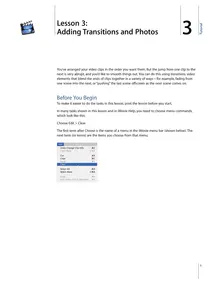
3 Lesson 3: Adding Transitions and Photos 3You’ve arranged your video clips in the order you want them. But the jump from one clip to the next is very abrupt, and you’d like to smooth things out. You can do this using transitions, video elements that blend the ends of clips together in a variety of ways—for example, fading from one scene into the next, or “pushing” the last scene offscreen as the next scene comes on.Before You BeginTo make it easier to do the tasks in this lesson, print the lesson before you start.In many tasks shown in this lesson and in iMovie Help, you need to choose menu commands, which look like this:Choose Edit > Clear.The first term after Choose is the name of a menu in the iMovie menu bar (shown below). The next term (or terms) are the items you choose from that menu.1Tutorial Adding a Transition Between Scenes You can place a transition between any two clips in your movie, or at the beginning or end of the movie. Keep in mind that some transitions, like Cross Dissolve and Push, will cut a few seconds from the length of your movie. For instance, if you put a 2-second cross dissolve between two clips, iMovie overlaps 2 seconds from the first clip and 2 seconds from the second clip to create the transition. This shortens your movie by 2 seconds. The length of a transition must always be shorter than either of the clips that it lies between.You select and set up transitions in the Transitions pane, shown ...